Unified Windows + Mac management
How a Saudi AI company consolidated three operating systems under one Intune console and cut IT overhead in half.
Industry
Artificial intelligence
Location
Riyadh, Saudi Arabia
Duration
7 weeks
3 OSes
one Intune console
99.99%
fleet uptime
50%
less IT admin time
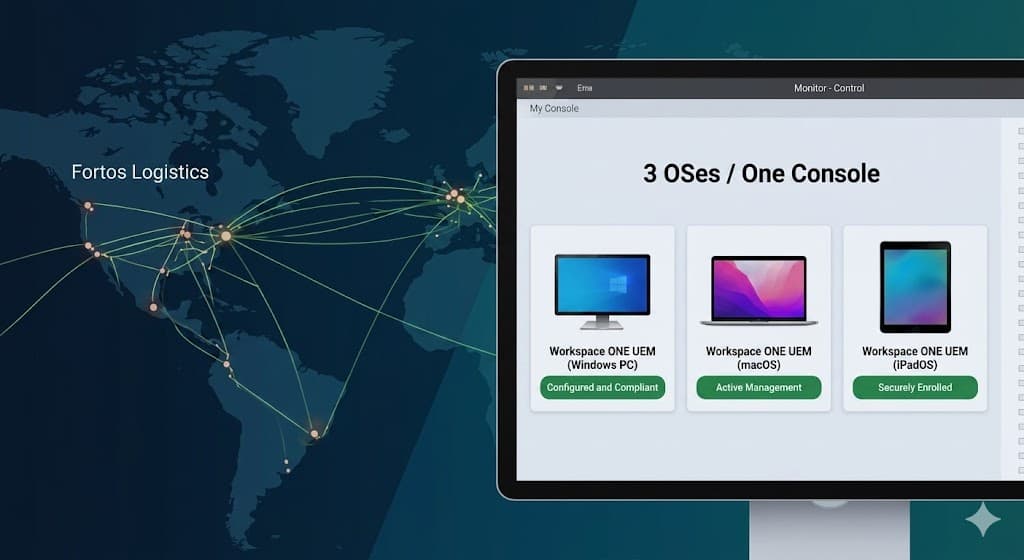
A fast-growing AI company in Riyadh had built a team of engineers and data scientists who each had strong opinions about their tools. The result was a mixed fleet of Windows laptops, MacBooks, and a handful of Linux machines — all managed (or unmanaged) separately. The IT team was juggling two different MDM platforms, writing duplicate policies, and spending hours every week reconciling compliance data from two separate dashboards.
The challenge
The challenge
Running two management platforms meant double the licensing cost, double the policy maintenance, and two different sources of truth for compliance. When an auditor asked "are all your devices compliant?", the answer required pulling reports from two separate systems and manually cross-referencing them. The team needed one platform that could handle Windows, macOS, and enforce consistent security baselines across both.
- Two separate MDM platforms — double the cost and admin effort
- Inconsistent security policies across Windows and macOS
- No single compliance view — two dashboards to reconcile
- Engineers on macOS largely unmanaged and outside policy scope
What we built
What we built
Logistructure migrated the entire fleet — Windows, macOS, and enrolled Linux machines — onto Microsoft Intune as the single management plane. We retired the legacy MDM platform, wrote unified compliance baselines that translated consistently across both operating systems, and gave the IT team one dashboard with one set of reports. Engineers kept their tools; the company gained full visibility.
- 1
Platform audit and migration planning
Mapped every policy, configuration profile, and compliance rule from both legacy platforms and designed their equivalents in Intune before any migration started.
- 2
macOS enrollment via Apple Business Manager
Enrolled all MacBooks into Intune through Apple Business Manager — giving the IT team supervised management of macOS devices including configuration profiles, software deployment, and FileVault encryption.
- 3
Unified compliance baselines
Wrote compliance policies covering both Windows and macOS — encryption (BitLocker / FileVault), OS patch level, firewall status, and screen lock — giving a single, consistent compliance standard across the entire fleet.
- 4
Single compliance dashboard
Consolidated all compliance and device health data into Intune's unified reporting view — one place to see every device, every OS, and every policy state.
- 5
Legacy MDM decommission
Once all devices were stable in Intune, the legacy MDM platform was cleanly decommissioned — eliminating duplicate licensing, redundant tooling, and split-brain policy management.
The results
The results
The IT team now manages Windows, macOS, and Linux from a single pane of glass. Compliance reporting went from a manual, multi-system exercise to a one-click export. Retiring the legacy platform cut licensing costs immediately, and the engineers noticed nothing — their tools stayed exactly as they were.
3 OSes
one console
99.99%
fleet uptime
50%
less IT admin time
1
platform (was 2)
“We'd been patching two systems together for years. Seeing Windows and Mac compliance side by side in one dashboard — that was the moment we knew we'd made the right call.”
Let's build it together
Ready to transform your IT?
Tell us about your fleet and where you're stuck. We'll map the path to secure, well-managed devices your team can actually rely on.